为 Typecho 增加独立的搜索页面
于 发布于分类: 默认 | 阅:32
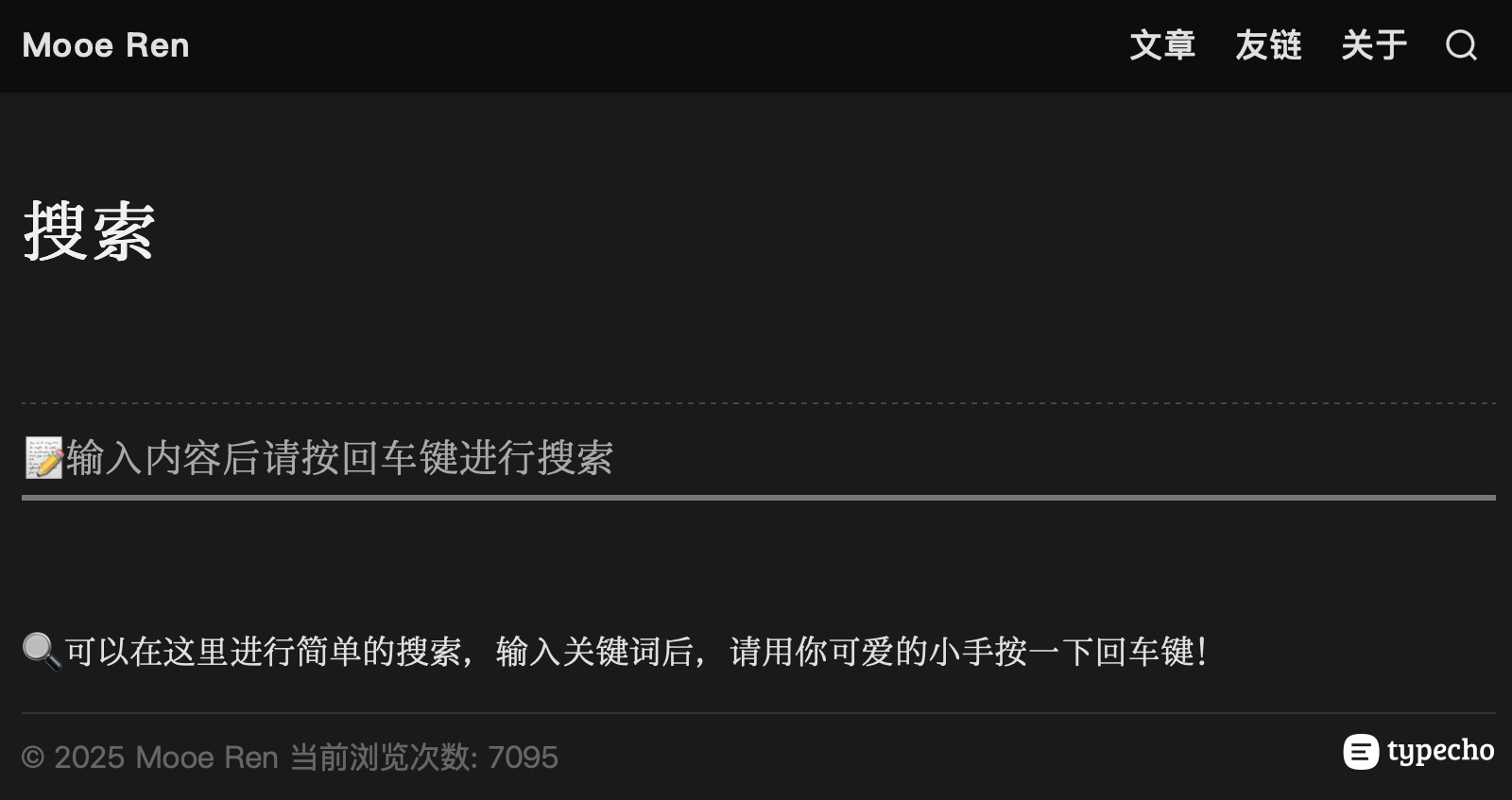
记录一下关于 Typecho 的搜索功能,可能你不需要,不过我比较笨,时间长了就会忘记,所以还是记录一下,我的搜索页面展示:https://new.mooe.ren/search
完整的站内搜索,至少包含两个部分:
- 搜索结果页面,用于显示搜索到的文章。
- 搜索入口,可以是独立的搜索页面,也可以嵌入到页面中以搜索框的形式出现。
制作搜索结果页面
在主题文件夹中建立
search.php文件- 本站的代码如下:
<?php if (!defined('__TYPECHO_ROOT_DIR__')) exit; ?>
<?php $this->need('header.php'); ?>
<div class="main-container">
<main>
<div>
<?php if ($this->have()): ?>
🎯 以下是<?php $this->archiveTitle(array(
'category' => _t('分类 %s 下的文章'),
'search' => _t('包含关键词 <b>%s</b> 的文章'),
'tag' => _t('标签 %s 下的文章'),
'author' => _t('%s 发布的文章')
), '', ''); ?>
:
<hr/>
<ul class="blog-posts">
<?php while ($this->next()): ?>
<li class="post-item">
<a href="<?php $this->permalink(); ?>"><span><?php $this->title(); ?></span></a>
<time datetime="<?php $this->date("c"); ?>" itemprop="datePublished"><?php $this->date('Y/m/d'); ?></time>
</li>
<?php endwhile; ?>
</ul>
<div class="post-pagination">
<?php $this->pageNav('« 前一页', '后一页 »'); ?>
<?php $this->pageNav(" ← ", " → ", "5", "…"); ?>
</div>
<?php else: ?>
<article>
<p>🚫 <b>错误</b>:
没有找到<?php $this->archiveTitle(array(
'category' => _t('分类 %s 下的文章'),
'search' => _t('包含关键词 <b>%s</b> 的文章'),
'tag' => _t('标签 %s 下的文章'),
'author' => _t('%s 发布的文章')
), '', ''); ?>
,请重新输入关键词进行搜索。
</p>
</article>
<?php endif; ?>
</main>
<?php $this->need("footer.php"); ?>制作搜索入口页面
- 制作页面模板,具体可以搜索:Typecho 如何自定义页面模板
创建一个独立页面并引用模板
- 本站模版代码如下:
<?php
/**
 * 搜索
 *
 * @package custom
 */
if (!defined("__TYPECHO_ROOT_DIR__")) {
    exit();
} ?>
<?php $this->need("header.php"); ?>
<div class="main-container">
<main>
    <h1></a> <?php $this->title(); ?></h1>
    </br>
    <hr>

    <div class="search">
        <form method="post">
            <input type="text" name="s" class="text" placeholder="📝输入内容后请按回车键进行搜索" value= "<?php echo $this->_keywords ?>" />
        </form>
    </div>

        <article>
    <?php if ($this->content): ?>
        <?php $this->content(); ?>
    <?php else: ?>
        <p>此页面内容尚未发布。</p>
    <?php endif; ?>
    </article>

</main>
<?php $this->need("footer.php"); ?>
效果如下:
好了,是不是很简单,万变不离其宗,随意修改成适合你的风格。